
An image compressor that never uploads your photos.
Image Compressor is a free, private tool that shrinks JPG, PNG and WebP images entirely in your web browser. Drop in a batch, watch each file get smaller, and download them, or grab them all as a zip. Every image is processed on your own machine. Nothing is uploaded, nothing is saved, and closing the tab erases it all. No install, no account.
Opens instantly · Nothing to install · No sign-up · Works in Chrome, Edge, Firefox & Safari
Private by design, and it never ruins your files
Privacy and file-safety aren't settings here; they're how the app is built.
Your images never leave
Files are read straight from your disk into the page's memory and compressed locally with the browser's own canvas engine. There is no server that receives them, there is nothing to upload.
Real savings, batch at once
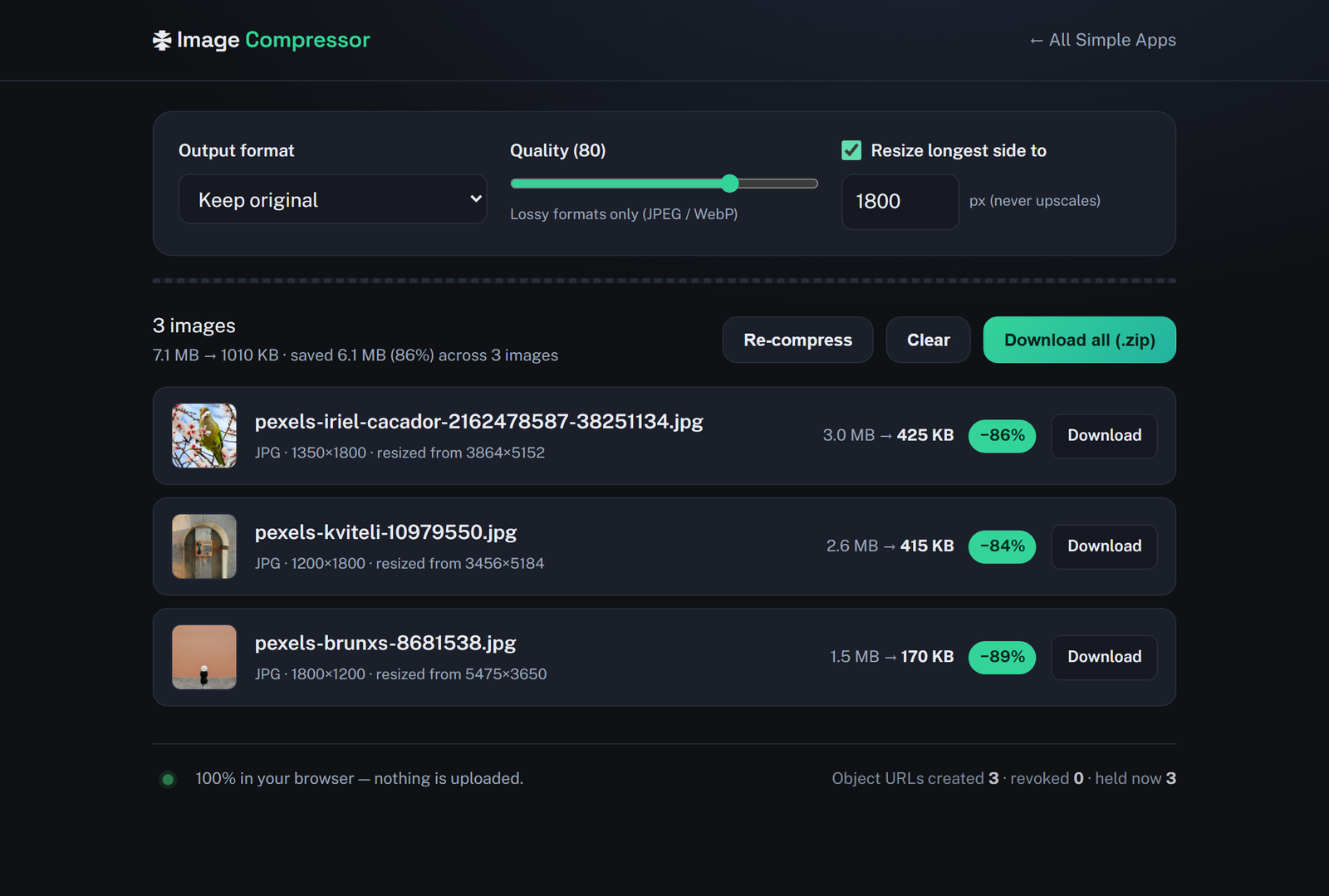
Drop in many images and each one is compressed automatically. See the before and after size and exact percent saved per file, then download all of them as a single zip.
It never ruins a file
Your originals are never modified. EXIF orientation is honored so nothing exports sideways, transparency is never silently flattened, images are never upscaled, and if compression wouldn't help, your original is kept untouched.
How it works
Three steps, zero setup.
Drop in your images
Drag a batch of photos onto the page or click to choose files. They load instantly into the browser, no upload, no waiting on a server.
Tune the output (optional)
Each image is compressed automatically with a sensible default. Adjust quality, switch format to JPEG / PNG / WebP, or cap the longest side to resize, all optional.
Download: one or all
Download each compressed image, or grab them all as a zip. Close the tab when you're done and everything is gone, nothing was uploaded or saved.
Frequently asked questions
Is Image Compressor really private? Are my images uploaded?
No. Your images are never uploaded. Image Compressor reads your files directly into the browser tab's memory and compresses them locally using the browser's own canvas engine. There is no server that receives your images, so there is nothing to upload and nothing to leak.
Do I need to install anything or create an account?
No install and no account. Image Compressor runs entirely in your web browser, just open the page and use it. There is nothing to download and no sign-up.
Which image formats can it compress?
It compresses JPG, PNG and WebP, and can read and re-encode many other formats too. You can keep each image's original format or convert to JPEG, PNG or WebP. Transparency is preserved unless you explicitly choose JPEG, which it warns you about first.
Will compressing damage my original files?
Never. Your original files are never modified or overwritten, the compressed image is always a brand-new download. EXIF orientation is honored so photos don't come out rotated, images are never upscaled, and if a re-encode wouldn't be smaller, your original is kept as-is.
Can I compress many images at once and download them together?
Yes. Drop in a whole batch and each image is compressed automatically. You can download images individually, or use "Download all" to get every compressed image in a single zip file.
Is Image Compressor free?
Yes, Image Compressor is completely free to use. It runs in your browser with nothing to buy and no account to create.