
A JSON formatter that never uploads your data.
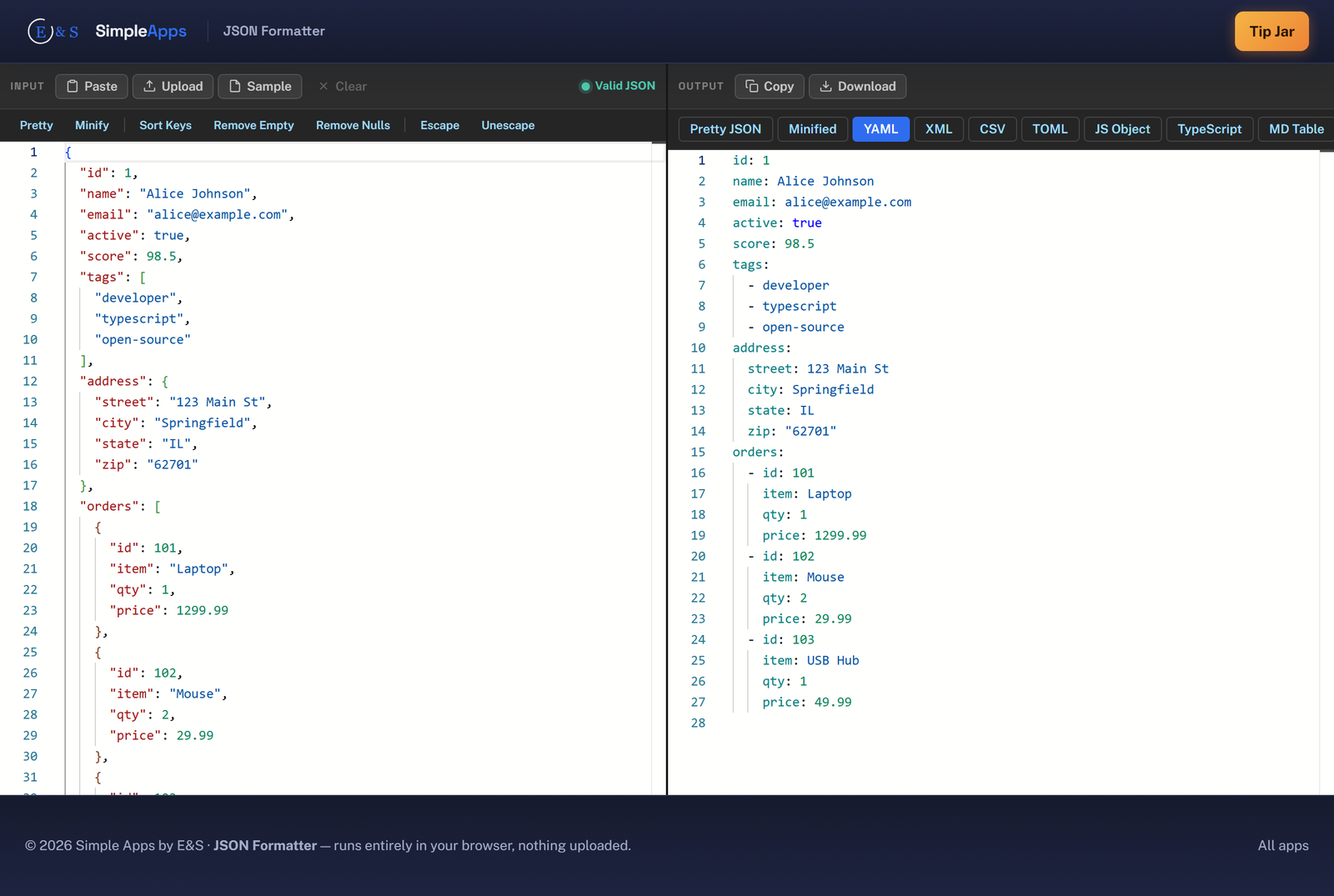
JSON Formatter is a free, private tool that beautifies, minifies, validates and converts JSON entirely in your web browser. Paste your JSON, see it formatted instantly, and export it as YAML, XML, CSV, TOML, SQL, a TypeScript interface and more. Every keystroke is processed on your own machine. Nothing is uploaded, nothing is saved, and closing the tab erases it all. No install, no account.
Opens instantly · Nothing to install · No sign-up · Works in Chrome, Edge, Firefox & Safari
Private by design, and it never mangles your data
Privacy and correctness aren't settings here; they're how the app is built.
Your data never leaves
Your JSON is parsed and converted locally in the page's memory using your browser's own engine. There is no server that receives it, there is nothing to upload, nothing to log, and nothing to leak.
Convert to a dozen formats
Turn JSON into pretty or minified JSON, YAML, XML, CSV, TOML, a JavaScript object, a TypeScript interface, a Markdown or HTML table, or SQL INSERT statements, instantly, no reload.
Clear, friendly validation
Invalid JSON is explained in plain language with a line hint, never a raw parser dump. Sort keys, remove empty or null values, escape and unescape strings, and download the result with one click.
How it works
Three steps, zero setup.
Paste or drop your JSON
Paste JSON into the editor, drag in a .json file, or load the sample. It parses instantly in the browser, no upload, no waiting on a server.
Format or pick an output
Pretty-print, minify, sort keys, or strip empty and null values. Or choose an output format, YAML, XML, CSV, TOML, TypeScript, SQL and more, and see it render live.
Copy or download
Copy the result to your clipboard or download it as the right file type. Close the tab when you're done and everything is gone, nothing was uploaded or saved.
Frequently asked questions
Is JSON Formatter really private? Is my data uploaded?
No. Your JSON is never uploaded. JSON Formatter reads and converts everything directly in the browser tab's memory using your browser's own JavaScript engine. There is no server that receives your data, so there is nothing to upload and nothing to leak.
Do I need to install anything or create an account?
No install and no account. JSON Formatter runs entirely in your web browser, just open the page and use it. There is nothing to download and no sign-up.
What can I convert my JSON into?
Pretty-printed JSON, minified JSON, YAML, XML, CSV, TOML, a JavaScript object, a TypeScript interface, a Markdown table, an HTML table, and SQL INSERT statements. You can copy any output or download it as the matching file type.
What happens if my JSON is invalid?
You get a clear, friendly explanation of what's wrong, with a line hint where possible, instead of a raw SyntaxError dump. Your input stays exactly as you typed it so you can fix it in place.
Can it handle large JSON files?
Yes. Conversions run synchronously and stay fast for typical payloads up to several megabytes. Because everything happens locally there's no upload time, the only limit is your own device's memory.
Is JSON Formatter free?
Yes, JSON Formatter is completely free to use. It runs in your browser with nothing to buy and no account to create.