
Combine PDFs into one file, in the order you choose. It never uploads
Drop in as many PDFs as you need, drag them into the right order, and merge them into a single file. Merge PDF runs entirely inside your browser tab: your files are read and combined locally, never sent to a server. Nothing is saved anywhere but your own downloads, and closing the tab erases every trace. No install, no account, no waiting on an upload.
Opens instantly · Nothing to install · No sign-up · Works in Chrome, Edge, Firefox & Safari
Private by design
Your files never touch a server. Merging happens entirely in your browser's memory.
Nothing is uploaded
Your PDFs are read and combined locally in your browser's memory. They're never sent to a server, so there's nothing to leak, log, or lose.
Handles large batches
Merge dozens of files or a thousand combined pages without freezing the tab. Processing runs in the background so the interface stays responsive.
Exactly the order you want
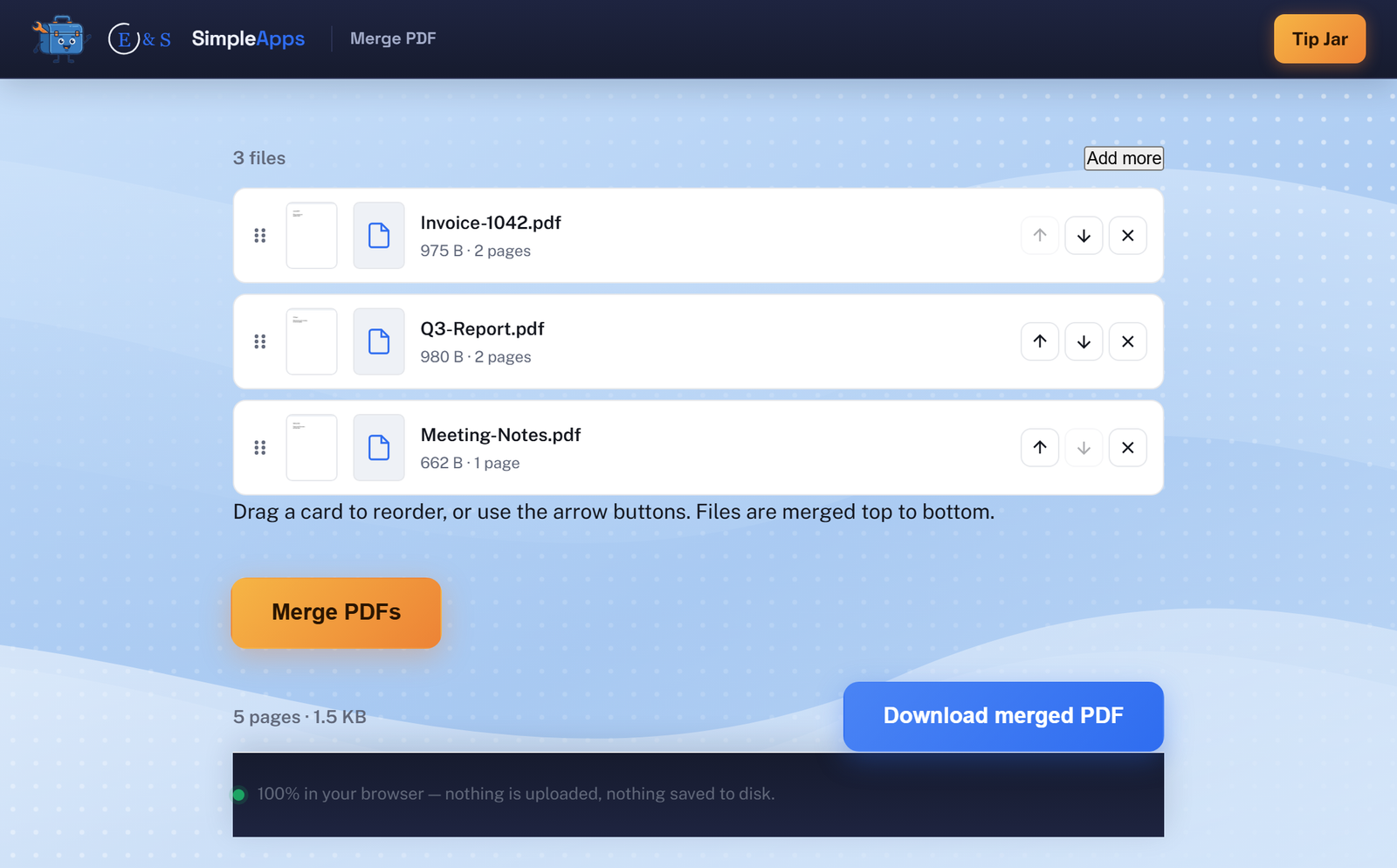
Drag-and-drop cards with a first-page preview of each file, so you can see and set the final order before you merge.
How it works
Three steps, zero setup.
Drop your PDFs
Click to choose files or drag them straight into the browser tab. Nothing uploads, they're read locally.
Drag to reorder
Each file shows a first-page thumbnail and page count. Drag cards into the order you want them merged.
Download the merged PDF
One click combines every file into a single PDF, ready to download.
Frequently asked questions
Is Merge PDF really private? Is my data uploaded?
No. Merge PDF processes your files entirely inside your browser tab using JavaScript. They're never sent to a server or any third party. Close the tab and it's gone.
Do I need to install anything or create an account?
No install and no account. Merge PDF runs entirely in your web browser, just open the page and use it.
Is Merge PDF free?
Yes, Merge PDF is completely free to use. It runs in your browser with nothing to buy and no account to create.